What is Nesario?
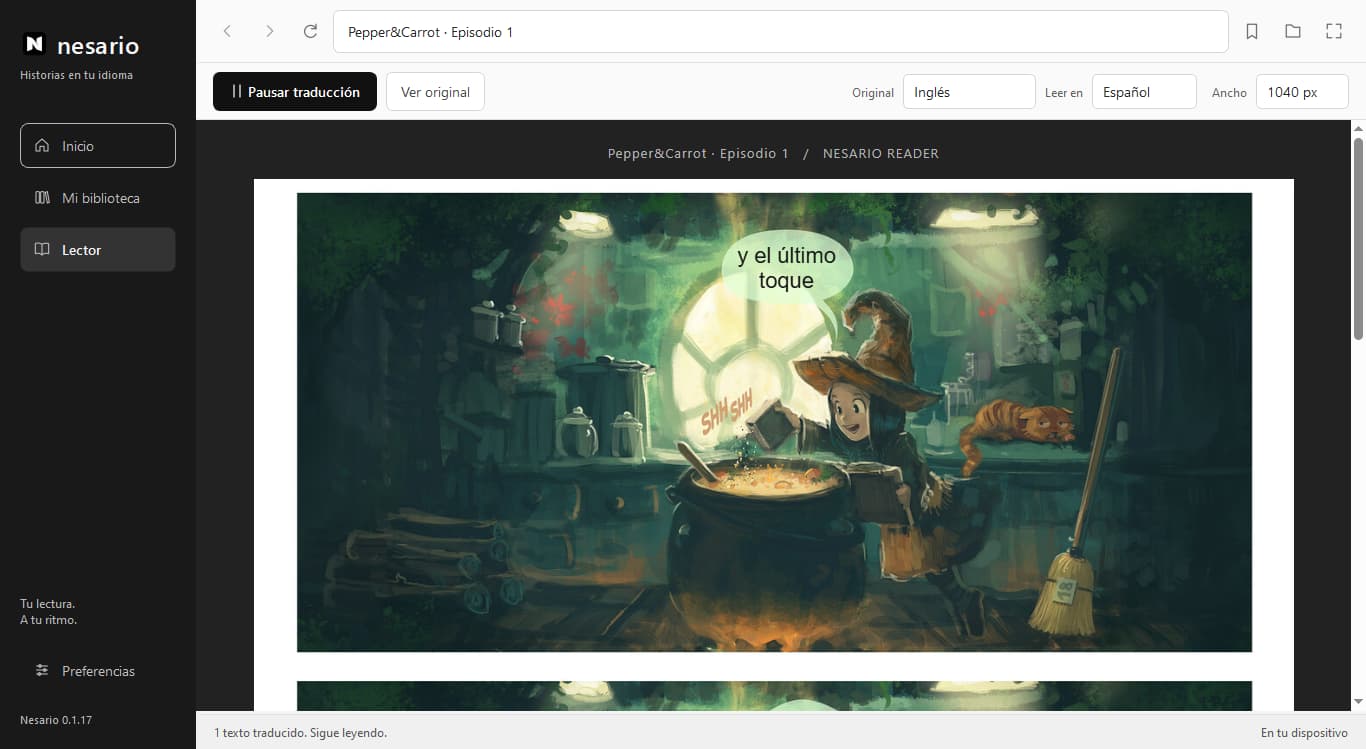
Nesario is a Windows app that translates English story dialogue over the images. Read in Spanish, Portuguese, French or Italian. Requires Internet; English reading and manga support remain in beta.
What does manga in beta mean?
Manga support is still in development: dialogue detection and translation placement can still fail. For now, Nesario's main focus is manhwas. You can always check the original.
What does the demo show?
The homepage compares David Revoy's Pepper&Carrot panels with recorded Nesario results. These translations have not been manually corrected and do not guarantee accuracy. The sample reader uses an illustrative scene with prepared text; the website does not translate images live.
Which languages does Nesario translate?
The app reads English originals and lets you choose Spanish, Portuguese, French or Italian under Read in. Accuracy remains in beta and you can always check the original. Website demos show Spanish output.
Are my images sent to a server?
Yes. When you enable translation in the app, image crops are sent over HTTPS to Nesario's server. Cookies, passwords and browsing history are not sent. The engine uses temporary memory. This website's demo does not process your images.
How does the subscription work?
The plan costs USD 5 per month and supports up to two linked devices. Authorize monthly renewal in PayPal and cancel it from My account. Check the Windows requirements before paying.
How does the free trial work?
Install Nesario and create your account. If a trial is available, select the checkbox when confirming your device code. The 10 minutes only start after successful linking and keep running even if you close the app. One trial per account, with no card or automatic charge. Signing up or visiting the website does not start it. View the time remaining in My account and choose the paid plan whenever you like.
Why create an account?
Your free account lets you sign in, link your devices and manage access. Signing up does not start the trial or activate an automatic subscription. If a trial is available, you can choose it when linking your device. You can also explore the web demo without an account.
How do I install it?
Download the installer for 64-bit Windows 10/11 and link your account in the app. From 0.3.1, future versions download automatically and install when you close it. The installer is not yet publisher-signed: review the notices and requirements on Download.